Telegram Bot sendMessage Over 4096 Characters? How to Split the Text
Why does Telegram reject a bot message as too long?
Because Telegram's Bot API limits the text of a sendMessage call to 1–4096 characters after entities parsing. Auto X is a Telegram bot that schedules and auto-publishes your text and media posts to X, so both the draft you send in the chat and any text the bot sends back have to fit that Telegram limit. It is a separate cap from X's own post length, and a photo or video caption is tighter still: 0–1024 characters after entities parsing. The 4-step method below is how to tell which limit you hit and how to split the text safely. Checked against Telegram's Bot API on 2026-11-20.
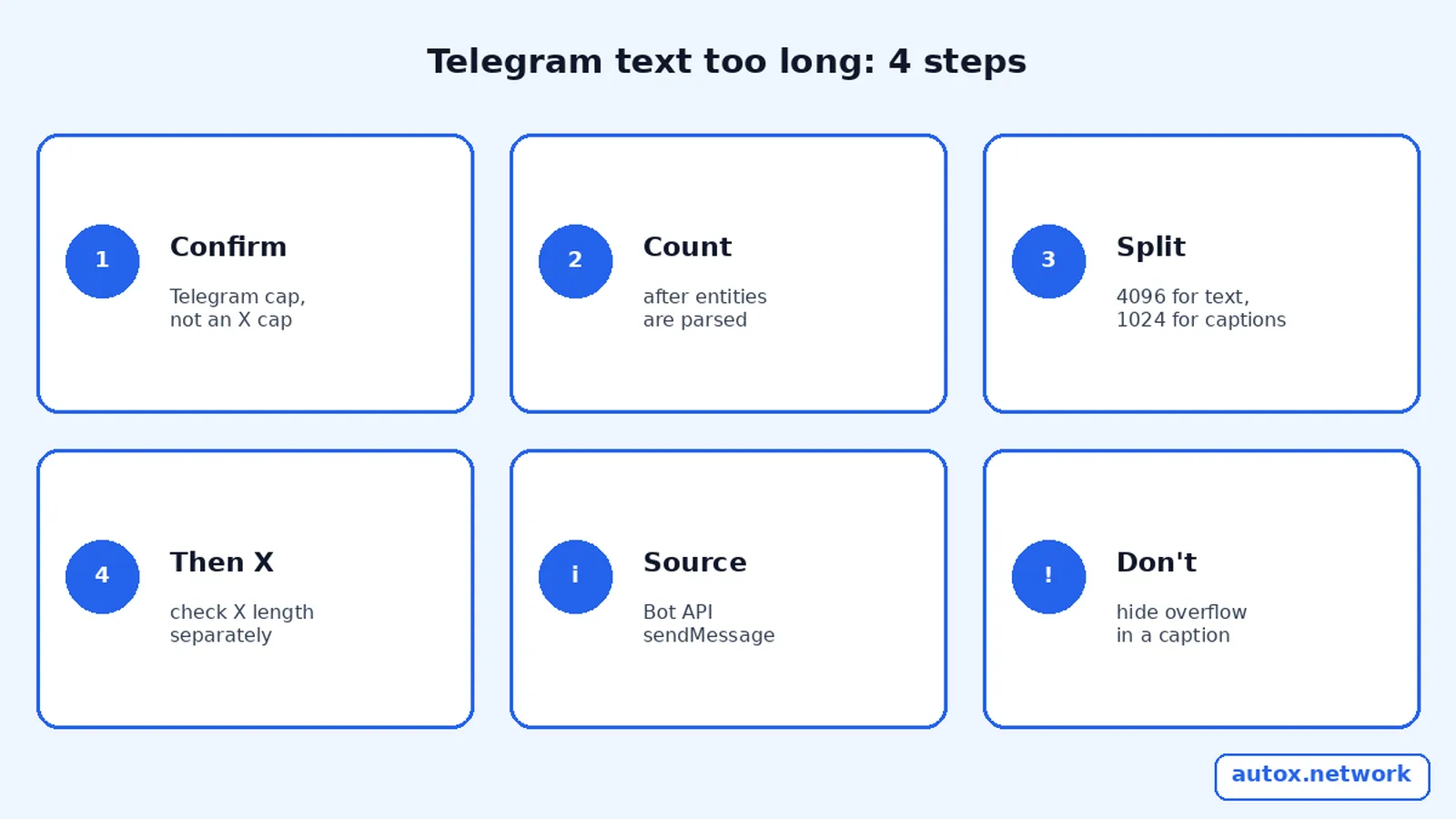
Which length limit did you hit?
Telegram publishes the limits in the Bot API method list, not as a soft warning. sendMessage and editMessageText take 1–4096 characters after entities parsing. Media captions on methods such as sendPhoto and sendVideo take 0–1024 characters after entities parsing. "After entities parsing" matters when you use Markdown, MarkdownV2 or HTML: formatting markup is parsed first, and the remaining visible text plus parsed entities must still fit.
| Limit | What Telegram's Bot API says | Typical Auto X situation |
|---|---|---|
| 1–4096 characters | sendMessage text, after entities parsing | A long draft pasted into the bot chat, or a long reply from the bot |
| 1–4096 characters | editMessageText new text, after entity parsing | An edited bot message that grew after you added a link or formatting |
| 0–1024 characters | Caption on a photo, video, document or similar, after entities parsing | A scheduled post that includes media plus a long caption |
| X's own post length | A different product's limit, not in the Telegram Bot API | A post that fits in Telegram but not on X; see the weighted-character guide |

If the failure is a formatting parse error rather than a length error, that is a different Bug: see how to fix Telegram's "can't parse entities" error. Length and parse mode can appear together, because entities parsing happens before the 4096 count is applied.
The 4-step method to get the message under the limit
This is the Telegram Length Check. Do it in order, and only cut or split after you know which cap applies.
- Confirm it is a length problem. If the bot rejected the send or could not echo your draft, treat Telegram's 4096 (or 1024 for a caption) as the first suspect. Do not assume X rejected it until the text has fitted in Telegram.
- Count after formatting. Write the message, apply the same parse mode you will send, and count the text after entities are parsed. A short-looking message with heavy MarkdownV2 escaping can still blow the cap; a long message with no markup can too.
- Split or shorten to fit the Telegram cap. For a text draft, keep each Telegram message at or below 4096 characters after parsing. For media, keep the caption at or below 1024. Do not try to hide overflow in a caption; Telegram will not accept it.
- Then check X's post length separately. A message that is legal in Telegram can still be too long for X. Auto X's guide to weighted character count on X covers that second cap. For a photo or video post, also see how to schedule an X post with a photo or video from Telegram.
Auto X does not claim, in its public commands or help, to auto-split a Telegram-side overflow for you. If your draft is too long for sendMessage, shorten it or send it in more than one message, then schedule what you actually want on X. The Auto X command cheat sheet lists /schedule, /queue and /cancel if you need to drop a draft and send a shorter one.
A concrete way to count "after entities parsing"
Take a draft that uses a link and a bold phrase. In MarkdownV2 or HTML, the markup characters are not all counted the way they look in your editor. Telegram parses those entities first, then checks the 4096 (or 1024) limit against the result. If you are close to the cap, paste the draft into a plain-text editor, strip the formatting syntax, and count that visible text. If it is already over 4096 without markup, no parse mode will save it. If it is under 4096 as plain text but fails once you add markup, simplify the formatting or split the message.
A practical cut line is to stay well below the cap rather than aiming at 4096 exactly. A timestamp, a preview URL or a bot prefix that Auto X or Telegram adds in a reply is easy to overlook when you counted only the body you typed. When you split a long idea, keep each Telegram message self-contained enough to read on its own, then schedule the piece you actually want on X. If the goal is a thread on X itself, that is a different workflow from splitting a Telegram message. Do not assume a Telegram-side split will post as an X thread.
For media, treat the file and the caption as two separate constraints. The file has to pass Auto X's media upload size limits, and the caption still has to pass Telegram's 1024-character caption rule. A short caption on a large video can fail for size; a small image with a 1,200-character caption can fail for length. Read the error, then fix only the constraint it points to.
What this does not fix
This limit is not a rate limit, a blocked user, or a disconnected X account. A 429 from Telegram is a different error, and a post that never appeared on X after it was accepted in the bot has its own checklist. Keep those paths separate so you do not shorten a perfectly valid draft for the wrong reason. If you are still choosing a plan, the Auto X pricing page lists Free, Pro and Ultra; none of those plans change Telegram's 4096 or 1024 figures, because those figures come from the Bot API, not from Auto X billing.

To start a shorter draft in a fresh chat with the bot, open Auto X on Telegram. The length rules above still apply in Telegram Desktop, Telegram for Android or iOS, and Telegram Web, because they are API limits, not client limits.
FAQ
Is the 4096-character limit the same as X's post length?
No. 4096 characters after entities parsing is Telegram's Bot API limit for sendMessage text. X has its own post length, which is counted differently. A draft can pass one cap and fail the other, so check Telegram first, then X.
Do links and Markdown count toward 4096?
Telegram counts characters after entities parsing. Formatting markup is parsed first; the remaining text and entities must fit in 4096. If you are unsure, remove parse mode and count the plain text, then add formatting back carefully.
Why was a photo caption rejected when the text looked short?
Captions are limited to 0–1024 characters after entities parsing, not 4096. A caption that would be fine as a stand-alone sendMessage can still be too long once it is attached to a photo or video.
Does a paid Auto X plan raise the Telegram limit?
No. The 4096 and 1024 figures are in Telegram's Bot API. Auto X plans change scheduling features, loops and AI tools; they do not change Telegram's method limits.
Sources
- Telegram Bot API: sendMessage (1–4096 characters after entities parsing) and media captions (0–1024) (checked 2026-11-20)
- Auto X homepage (checked 2026-11-20)
- Auto X Telegram bot
