X API Rate-Limit Budgets and Credit Accounting for Telegram→X Schedulers in 2026
A Telegram→X scheduling bot can pass every approval gate and still stall when the X API returns HTTP 429—or when pay-per-usage credits run out mid-queue. Rate limits and credit burn are related but not the same thing: one is a request-window throttle, the other is a prepaid cost meter. This guide shows how operators should budget both for publish-heavy schedulers, read current ceilings from official X docs, and keep jobs recoverable when either constraint trips. It is educational ops guidance for tools discussed on AutoX—not a growth guarantee. It is distinct from media staging, quiet hours, approval gates, and dead-letter design covered elsewhere on this site.
Two meters: rate windows vs. pay-per-usage credits
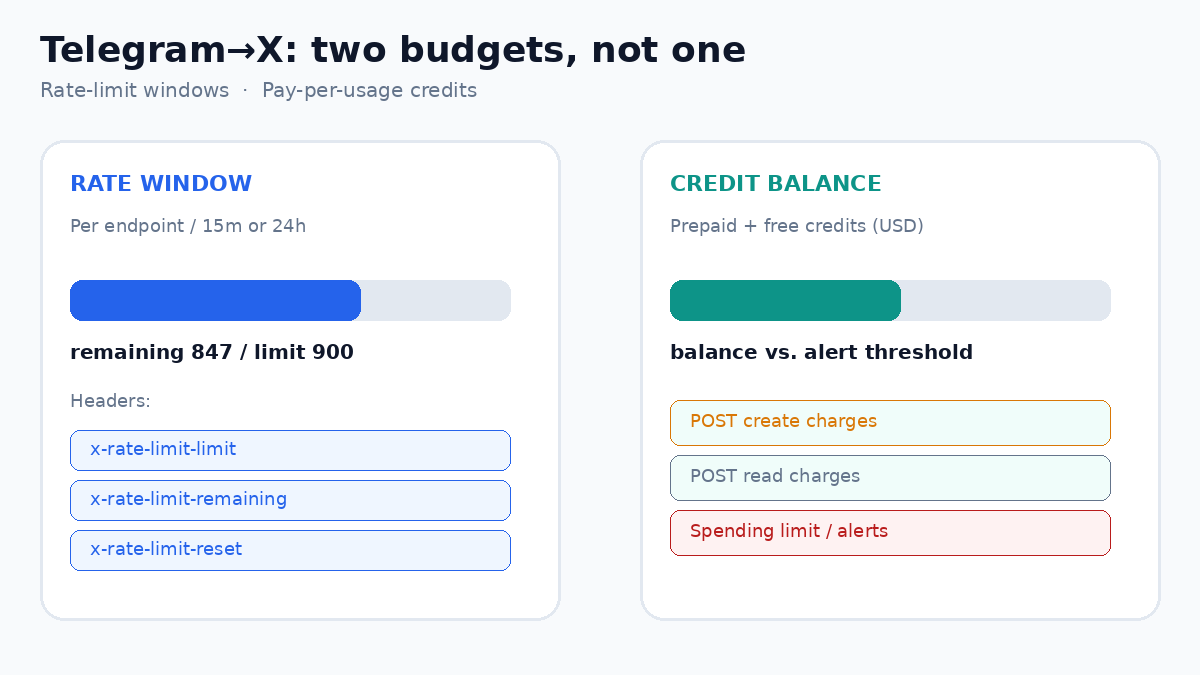
Official X API documentation separates rate limits from usage and billing. Per the X API Rate Limits guide, each endpoint has its own per-app and/or per-user ceiling, typically over a 15-minute or 24-hour window. Exceeding a window returns 429 until x-rate-limit-reset. Separately, Usage and Billing and pay-per-usage pricing describe credit purchase, per-resource or per-request charges, and console spending limits. For schedulers, that means:
- Rate budget — how many
POST /2/tweets(and media upload) calls you can safely pace per user token and per app in each window. - Credit budget — how many create/read operations your prepaid balance and monthly Post-read cap can absorb before publishes fail for cost, not for 429.
Treating them as one knob is how queues silently empty credits on lookup retries while create traffic looks “fine.” Foundations: Telegram bot for X scheduling: a practical guide and X scheduling with Telegram bots explained.
Read headers and official ceilings—do not hard-code folklore
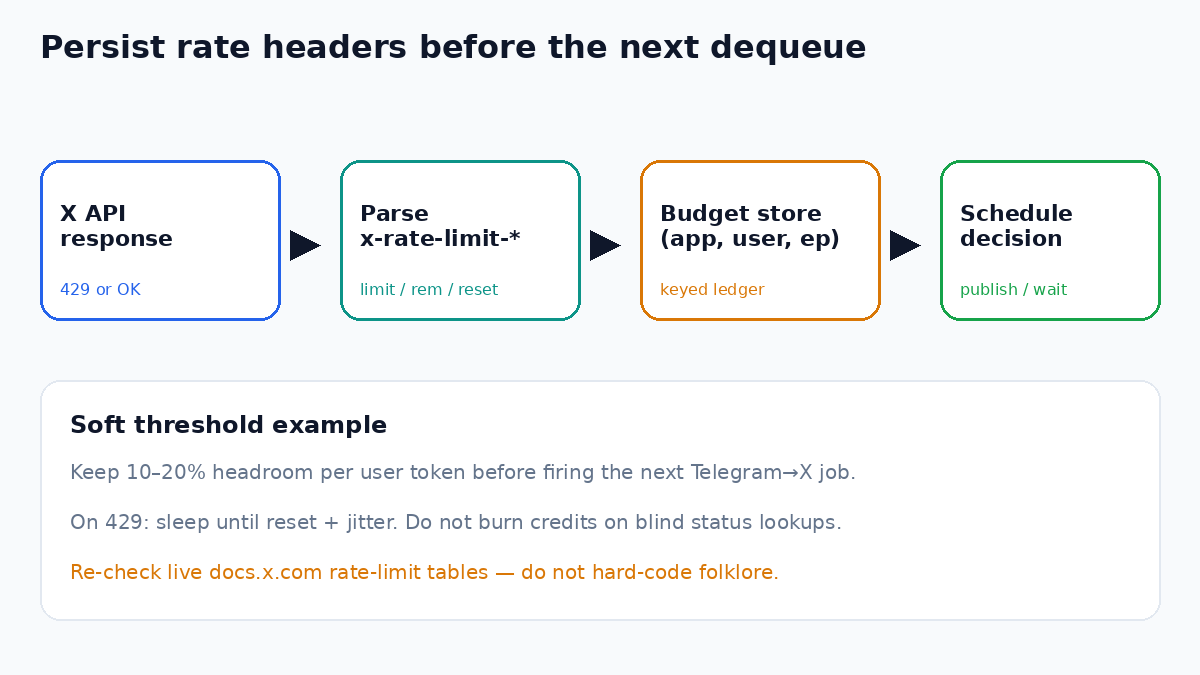
X documents response headers for every rate-limited call: x-rate-limit-limit, x-rate-limit-remaining, and x-rate-limit-reset (Unix time). Operators should persist those values per app and per user token after each call. For create traffic, the published manage-posts table lists per-user and per-app caps for POST /2/tweets; exact numbers change—always re-check the live rate-limits page and the Developer Console before raising cadence.
- After each X call, store remaining/limit/reset keyed by
(app_id, user_token_id, endpoint). - Before dequeue, compare scheduled volume in the next window against remaining; delay jobs that would breach a soft threshold (e.g., keep 10–20% headroom).
- On
429, sleep until reset (plus jitter)—do not burn credits on blind retries of read endpoints used for status checks. - Re-verify ceilings quarterly; product changes show up in docs and console first, not in blog posts.
Backoff and dead-letter after exhausted retries belong with failed-publish retries and dead-letter queues. Token hygiene and human approval still gate which jobs even reach the meter—see approval gates and API token hygiene.
Credit accounting for publish-heavy bots
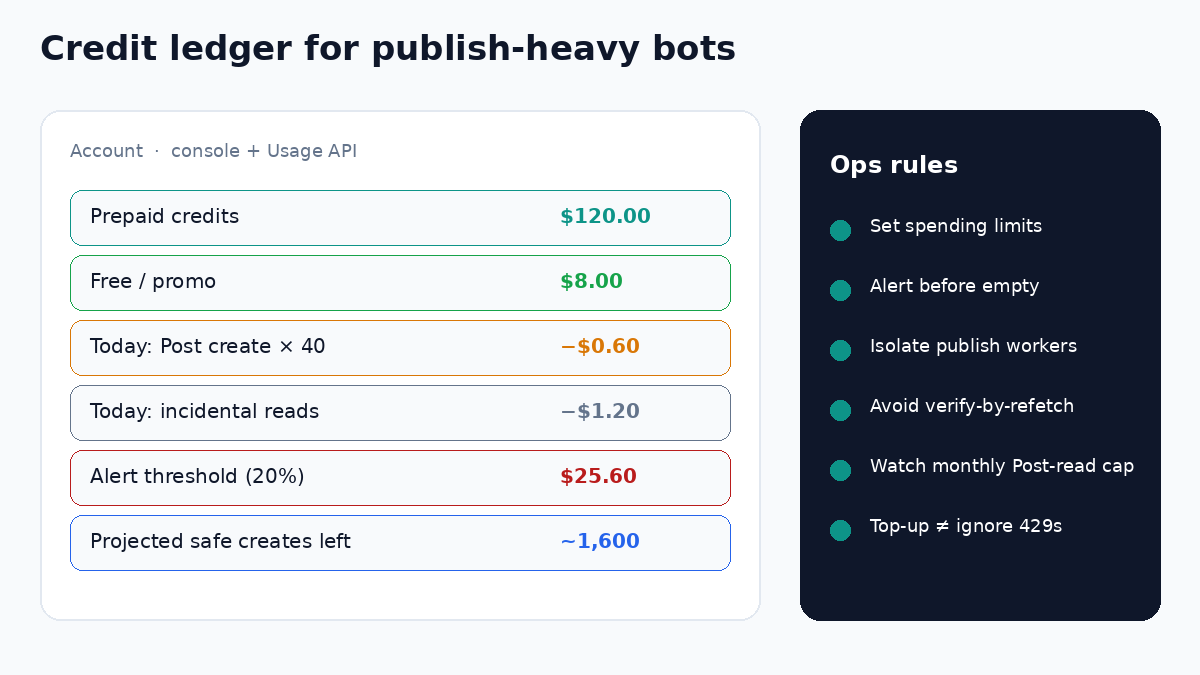
Pay-per-usage pricing charges differently for reads and writes. Official pricing lists unit costs such as Post create vs. Post read; Usage endpoints (GET /2/usage/tweets, GET /2/usage/credits) expose consumption and credit balance for monitoring. Practical scheduler rules:
- Prefer writes you need — a scheduled publish is a create; avoid “verify by fetching the post again” loops that multiply read charges unless product policy requires it. Daily deduplication on reads helps, but status-polling still costs ops attention.
- Set console spending limits and alerts — X’s usage docs recommend budgets and notifications before you hit empty credits mid-queue.
- Separate idle lookup from publish workers — analytics scrapers and mention watchers should not share the same credit panic path as the Telegram fire-time publisher.
- Respect monthly Post-read caps on pay-per-usage plans (documented as a multi-million Post-read monthly ceiling—confirm the current number on the usage/billing page).
Cadence and quiet hours reduce simultaneous bursts that trip both meters—see sustainable X posting cadence and timezone-safe quiet hours. Media uploads add stages before create; budget those separately as in media upload pipeline size limits.
A practical dual-budget control loop
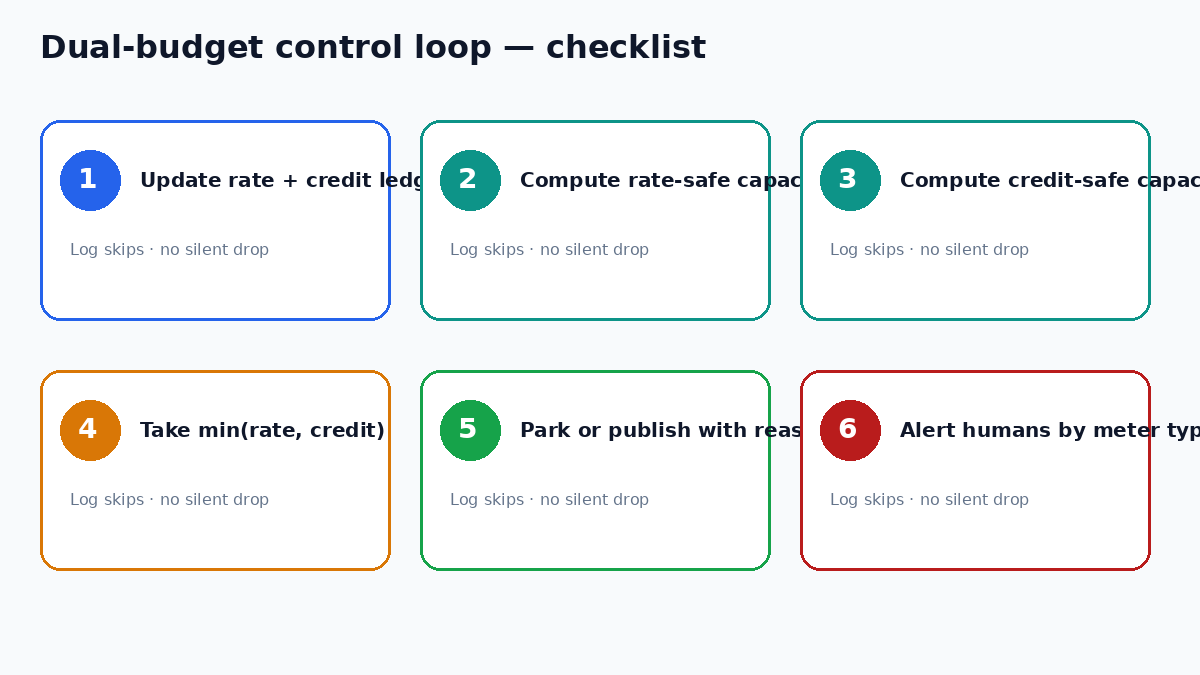
- Maintain a rate ledger from live headers and a credit ledger from Usage API / console exports.
- At schedule time, compute rate-safe and credit-safe capacity for the next window; take the minimum.
- If capacity is zero for rate reasons, park jobs until reset with a clear Telegram/admin reason.
- If capacity is zero for credit reasons, stop the publisher, alert operators to top up or cut non-essential reads—do not spin 429-style retries.
- After a media-normalize failure, do not consume create budget until media is publish-ready.
- Log every skip with meter type (rate vs. credit) so humans fix the right constraint.
Practical checklist
- Rate limits and pay-per-usage credits are tracked as separate budgets.
x-rate-limit-*headers are persisted per app, user token, and endpoint.- Publish workers keep headroom and honor reset times on 429.
- Console spending limits and Usage API / credits checks run on a schedule.
- Non-publish readers do not starve the create path of credits.
- Operator alerts distinguish “rate window empty” from “credits empty.”
Key takeaways
- Telegram→X reliability in 2026 requires budgeting both X rate windows and pay-per-usage credits.
- Read official rate-limit tables and usage/pricing docs; do not hard-code outdated tier folklore.
- Persist headers, set spending alerts, and isolate publish workers from heavy read scrapers.
- No affiliate links in this article: none were on file for the products discussed.
Educational product ops guidance. X API rate limits, pay-per-usage unit prices, monthly Post-read caps, and Usage API fields change over time; re-verify on official documentation (docs.x.com) and the Developer Console before production use. Last verified 2026-09-30.